6.6. Q&A
| FIELDS / BUTTONS | DESCRIPTION |
|---|---|
| Add new Button | To add new Q&A pairs. |
| Delete icon | To delete the added Q&A pair. |
| Save changes button | To save all changes, including adding, editing, and deleting Q&A pairs, and display the success message "Instruction or Question updated" |
Table: Fields and Buttons in the Q&A section
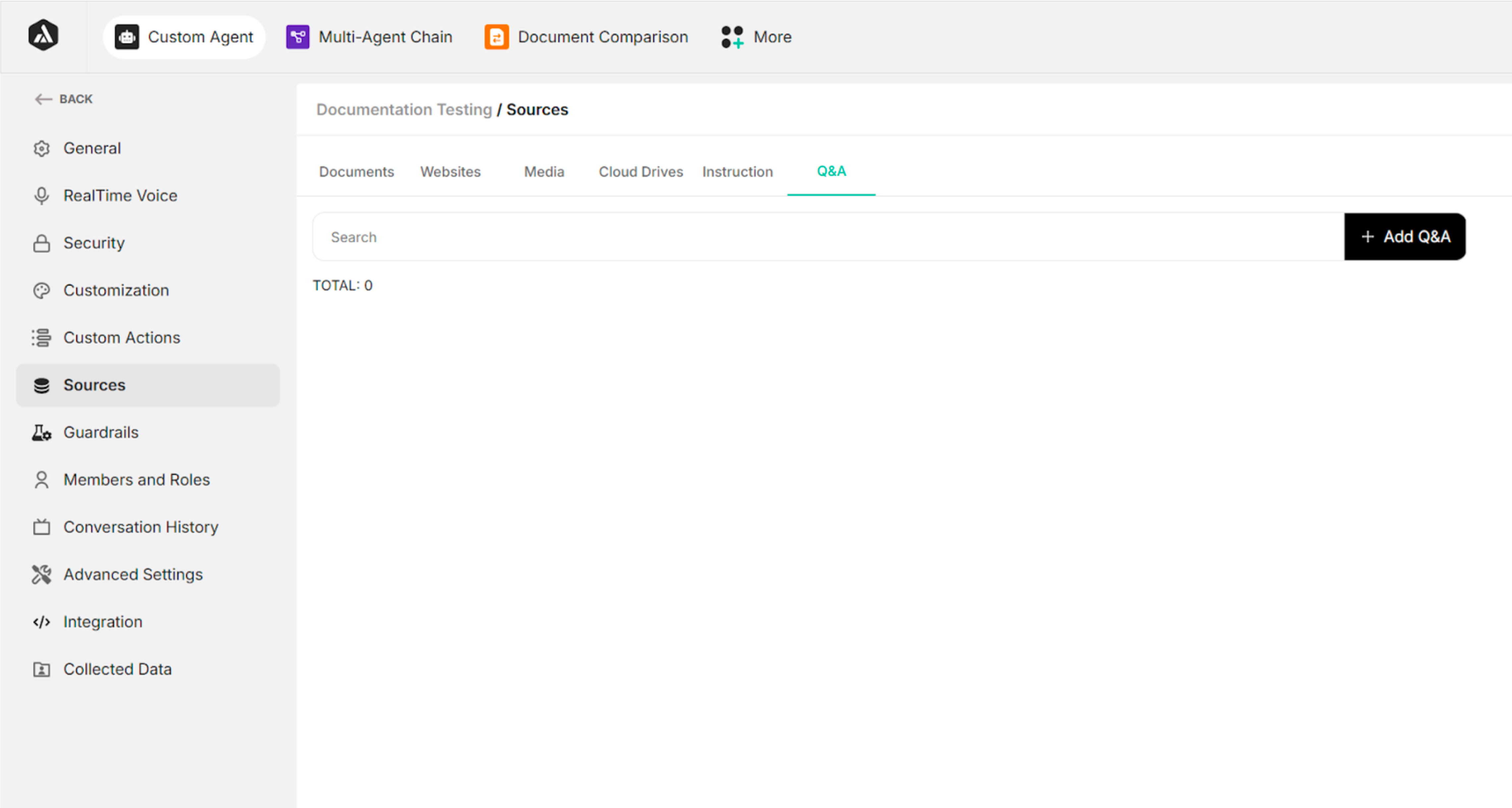 Figure: Q&A Screen
Add Q&A Confirmation Box
| FIELDS / BUTTONS | DESCRIPTION |
|---|---|
| Input Box for Question | To enter the question. |
| Input Box for Answer | To enter the answer. |
| Cancel Button | To cancel the process of adding the question and answer |
| Add Q&A Button | To add the Q&A pair |
Table: Fields and Buttons in the Add Q&A Confirmation Box
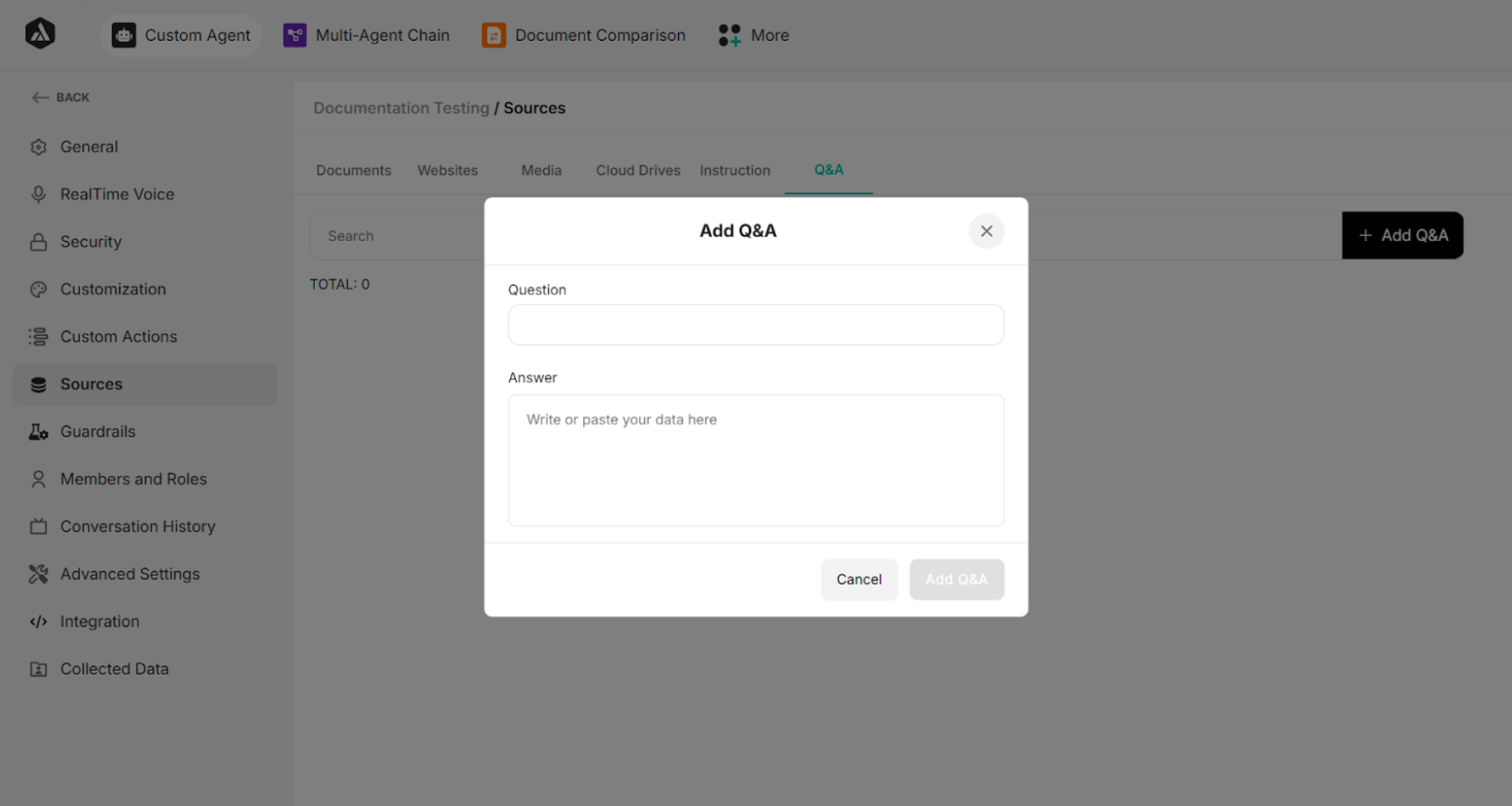 Figure: Add Q&A Confirmation Box
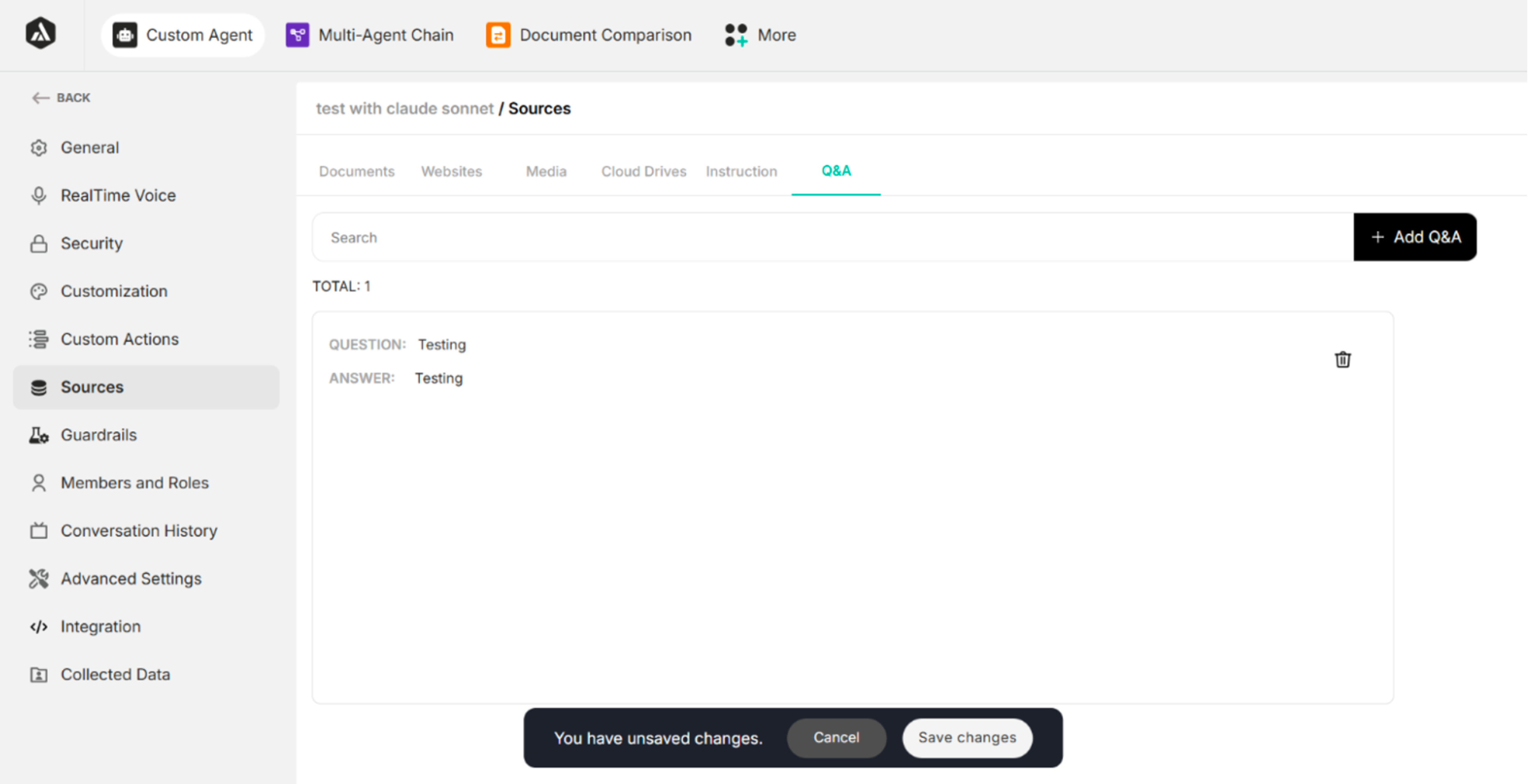 Figure: Screen After Clicking Add Q&A Button
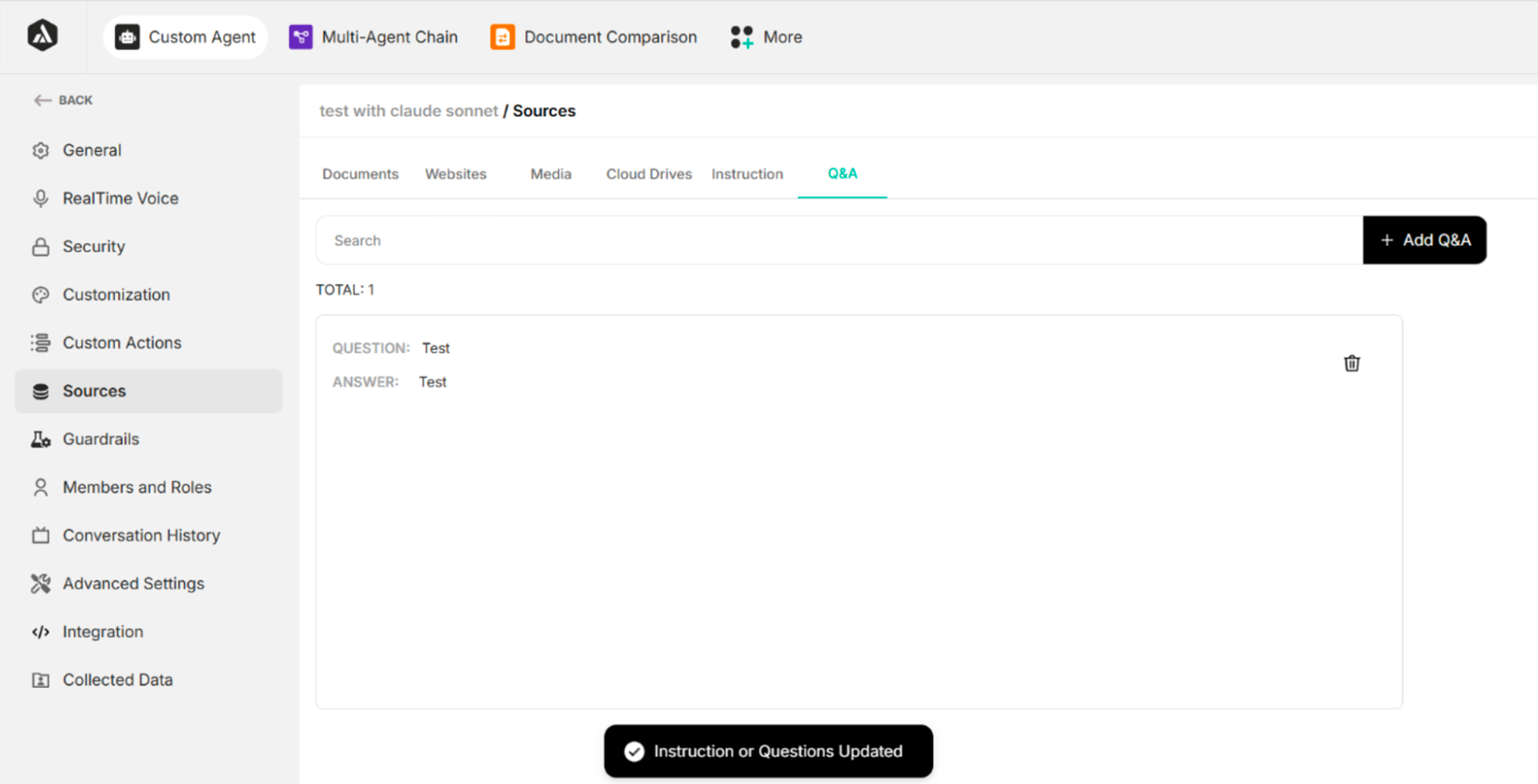 Figure: Screen After Clicking Save Changes Button